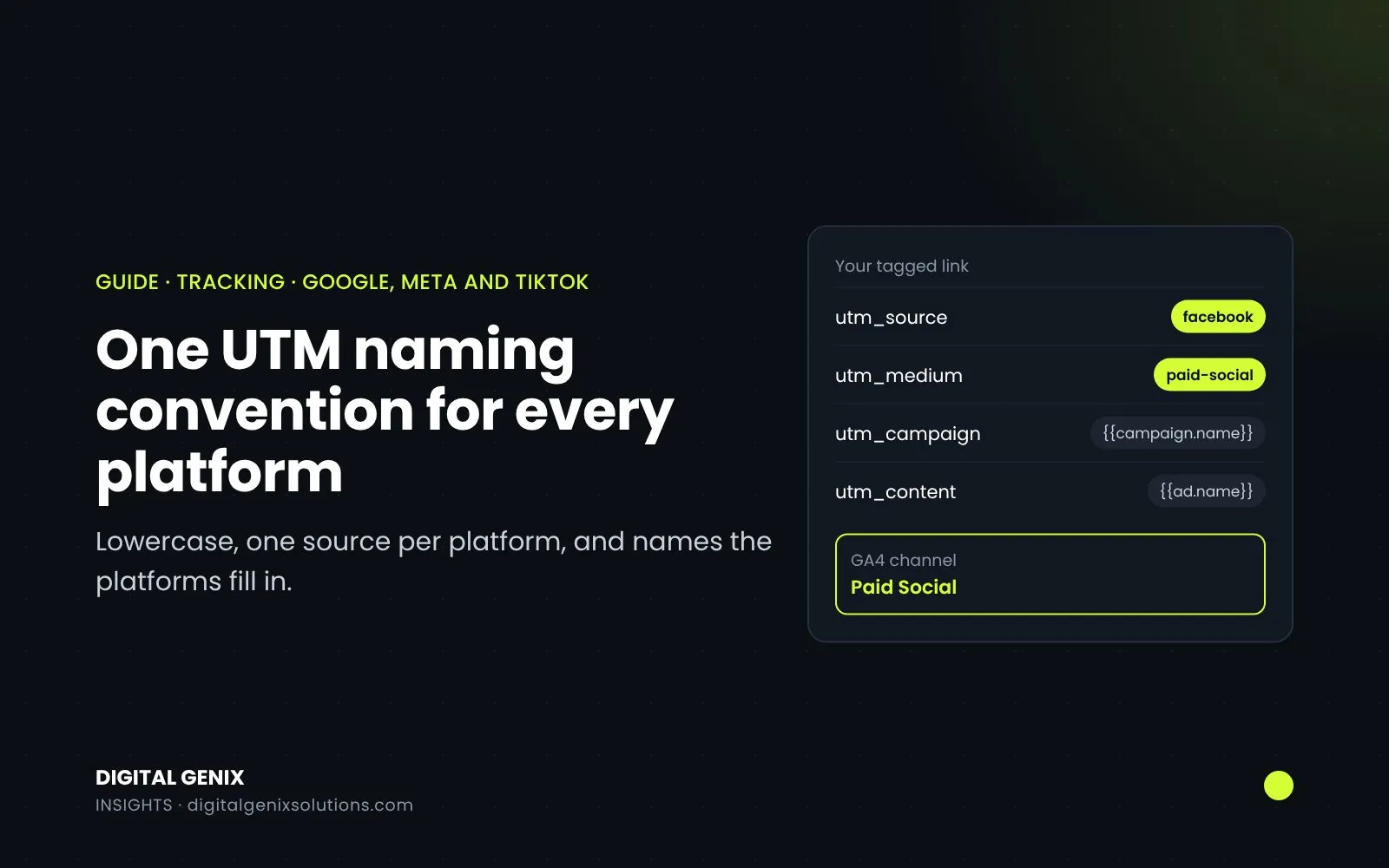
A good UTM naming convention comes down to a few rules. Write everything in lowercase. Use one fixed source for each platform and one medium for each type of traffic. Then let the ad platforms fill in campaign and ad names for you. Do that, and GA4 puts every visit from your ads in the right channel and doesn't split your reports into "Facebook", "facebook" and "fb".
Below is the system we use for Google, Meta and TikTok ads, the exact values for each platform, and the mistakes that most often break it. If you'd rather not type any of it, our free UTM builder applies these rules for you.
Why the naming matters
GA4 reads UTM parameters in two different ways, and both catch people out.
Your reports are case sensitive. Google's guide to campaign URLs is clear: "Parameter values are case sensitive." So utm_source=facebook and utm_source=Facebook show as two different sources in your reports.
Channel grouping isn't case sensitive, but it is strict. GA4 decides the channel (Paid Social, Paid Search, Organic Social and so on) from the source and medium together. Google's default channel group rules put a visit in Paid Social only when the source is a known social site and the medium matches ^(.*cp.*|ppc|retargeting|paid.*)$. In plain terms, the medium has to contain "cp" (as in cpc), be "ppc" or "retargeting", or start with "paid". Get the medium wrong and paid traffic lands somewhere else.
The platforms make this harder, because they add their own tags in their own style. Meta's dynamic parameter specifications say Meta may automatically add a source of "Facebook" or "Instagram" and a medium of "paid". TikTok's URL parameter guide says its Auto-attach feature fills in a source of "TikTok" and a medium of "Paid". Those values land in the right channel, but their capital letters won't match your own lowercase tags in reports. Pick one style and use it everywhere.
The convention
Google recommends always setting utm_source, utm_medium and utm_campaign, and adding utm_id where you can, because missing parameters show up as "(not set)". We use utm_source for the platform, utm_medium for the type of traffic, utm_campaign and utm_id for the campaign name and ID, utm_term for the ad set or ad group, and utm_content for the ad. For Meta and TikTok, that gives:
| Parameter | Meta |
|---|---|
| utm_source | facebook |
| utm_medium | paid-social |
| utm_campaign | {{campaign.name}} |
| utm_id | {{campaign.id}} |
| utm_term | {{adset.name}} |
| utm_content | {{ad.name}} |
| Parameter | TikTok |
|---|---|
| utm_source | tiktok |
| utm_medium | paid-social |
| utm_campaign | __CAMPAIGN_NAME__ |
| utm_id | __CAMPAIGN_ID__ |
| utm_term | __AID_NAME__ |
| utm_content | __CID_NAME__ |
For Google Ads, leave UTMs off and use auto-tagging instead (more on that below).
Things to know about each platform:
Meta. We use utm_source=facebook for all Meta ads, including those that run on Instagram. Google's list of sources and categories has facebook, fb, instagram and ig as social sources, so any of them works for Paid Social. Using one value keeps Meta together as one row in your reports, and Ads Manager already breaks results down by placement.
Meta also offers {{site_source_name}}, which fills in fb, ig, msg, an or th for Facebook, Instagram, Messenger, Audience Network and Threads. When we checked Google's list, msg, an and th weren't on it, so clicks from those placements wouldn't count as Paid Social. That's why we don't use it as the source.
TikTok. TikTok's macro list is easy to get the wrong way round. __AID_NAME__ is the ad group name and __CID_NAME__ is the creative (ad) name. Campaigns in the upgraded Smart+ experience use __ADID_V2_NAME__ for the ad name instead. Google's list has tiktok and tiktok.com as social sources, so tiktok with paid-social lands in Paid Social.
Google Ads. Leave the UTMs off and switch auto-tagging on. Google's GA4 guide calls auto-tagging "the recommended approach", and when both are present GA4 uses the auto-tagged values for source and medium anyway. If you need UTMs for another analytics tool, use utm_source=google and utm_medium=cpc in the campaign's Final URL suffix. Google's ValueTrack parameters can fill in {campaignid}, {keyword} and {creative}, but Google's list of ValueTrack parameters doesn't include the campaign name. {keyword} is also blank for keywordless matches such as AI Max, Dynamic Search Ads and Performance Max.
Why paid-social and cpc? Both match the paid medium rule. Using paid-social for social platforms and cpc for search engines makes reports easier to read at a glance. cpc with a social source would still land in Paid Social, so this is about tidiness, not about getting the channel right.
Name your campaigns as if they were UTMs
With dynamic parameters, your campaign, ad set and ad names become your UTM values. So the naming convention really starts in Ads Manager:
- Lowercase, words joined with hyphens, no spaces. Meta's help page notes that spaces in names come through as
%20in the URL. - The same order every time, for example market, objective, audience, then offer:
uk-leads-prospecting-free-quote. That's a made-up example; pick the parts that matter for your business and keep the order fixed. - No personal data. Never put names, emails or phone numbers in a URL.
Name things properly before you publish on Meta. Meta's specifications say name-based parameters are set to the name used "when the ad was first published". If you rename a campaign later, the UTM still carries the old name. Changing URL parameters after publishing can also send the ad set back into the learning phase. The only way to change the value is a new campaign, ad set or ad.
Keep "shop" out of names that aren't Shopping campaigns. GA4's Paid Shopping rule also matches paid traffic whose campaign name contains "shop" or "shopping". A Meta campaign called uk-shop-now-sale matches both the Paid Social and Paid Shopping rules, and Google doesn't document which one wins. Avoid the word unless you want the traffic counted as Shopping.
Five common mistakes
utm_medium=socialon paid ads. GA4 countssocial,social-mediaandsmas Organic Social. TikTok's own best-practice article usesutm_medium=socialin one of its examples, so it's an easy one to copy by mistake. For ads, usepaid-social.- Mixing capitals. "Facebook" from Meta's automatic tags and "facebook" from your own split one platform into two rows. Pick one and stick to it.
- Swapping source and medium. TikTok's article puts it simply: the source is "where" and the medium is "how".
- Duplicate parameters. If a URL contains
utm_sourcetwice, TikTok warns that analytics tools may only read the last one. Check the final URL in the ad preview, especially if you've pasted a tagged URL and also have Auto-attach switched on. - A
#in the URL. TikTok's article says everything after a#is dropped, so put UTMs before any anchor, or use a page without one.
How to check it's working
- Click your own ad's preview link and check that the landing page URL shows your parameters.
- In GA4, open Reports, then Acquisition, then Traffic acquisition. Set the primary dimension to "Session source / medium" and look for
facebook / paid-socialortiktok / paid-social. - Switch the dimension to "Session default channel group". Visits from your ads should be under Paid Social. If they're under Organic Social, Paid Other or Unassigned, fix the medium in the ad, not the report.
Use the builder
Our UTM builder follows everything above. It lowercases and hyphenates values, fills in each platform's dynamic parameters, checks which GA4 channel the link will land in, and can build links in bulk. If your tracking needs more than tags, from conversion set-up to GA4 reports you can trust, that's part of how we run Google Ads, Meta and TikTok campaigns, and our free PPC audit checks it for you.
Sources
- Google Analytics Help: URL builders: collect campaign data with custom URLs, Default channel group (including Google's downloadable list of sources and categories, checked 26 November 2026), Traffic-source dimensions, manual tagging and auto-tagging, Tag your Google Ads final URLs
- Google Ads Help: Set up tracking with ValueTrack parameters
- Meta Business Help Centre: Specifications for dynamic URL parameters
- TikTok Business Help Center: About UTM parameters, Best practices when adding UTM parameters, How to add URL parameters