Live since 1 September 2026: Google started moving Search campaigns that used either of two older settings, the campaign-level broad match setting or automatically created assets, over to AI Max. If your Search campaigns used neither, nothing changed and you can stop reading here. If they used one or both, AI Max is now running in those campaigns, and this guide shows you how to check what it switched on and which parts you can turn off.
Who was affected
Google confirmed the dates on its Ads Developer Blog on 12 August. Creating new campaign-level broad match settings or automatically created assets was blocked from 3 August. The upgrades began on 1 September and rolled out progressively through to 30 September. Google describes the campaigns as migrated "in place", meaning the existing campaign was changed rather than replaced with a new one.
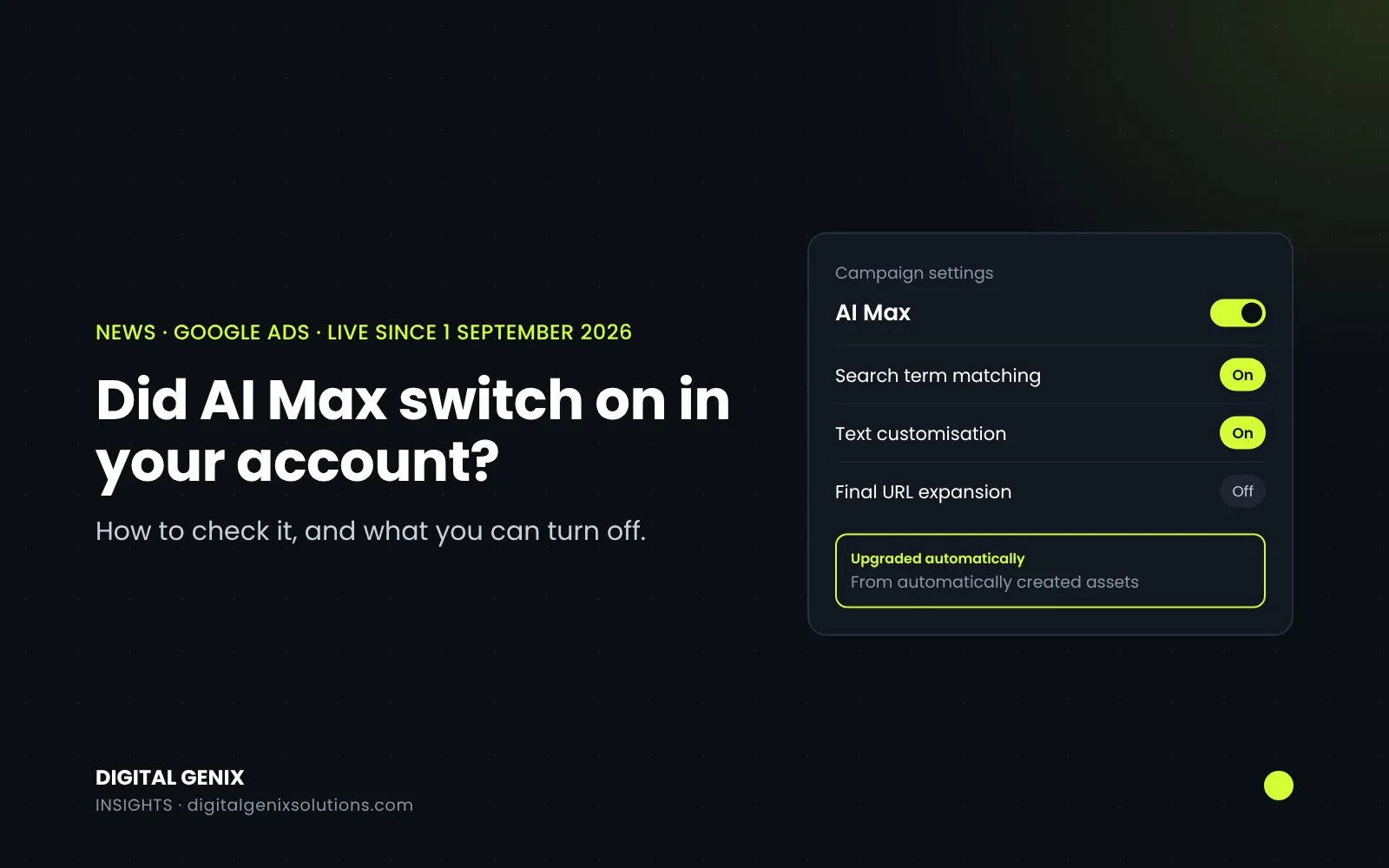
What you have now depends on which setting the campaign was using:
| Old setting | Search term matching | Text customisation |
|---|---|---|
| Campaign-level broad match | On | Off |
| Automatically created assets | On | On |
Final URL expansion, the third AI Max feature, was left off in both cases. For campaigns that used broad match, Google says existing brand inclusion and exclusion lists were kept as they were.
Dynamic Search Ads were left out of the September upgrade. They follow in February 2027 (more on that below).
What the three AI Max features do
AI Max isn't a new campaign type. It's a set of features that sits on top of a normal Search campaign. In plain words, from Google's AI Max help page:
- Search term matching lets your ads show for searches beyond your keywords, using broad match plus what's in your ads and on your landing pages. You control it in each ad group's settings.
- Text customisation (the new name for automatically created assets) writes extra headlines and descriptions using your existing ads, your landing pages and your assets. You control it at campaign level.
- Final URL expansion sends people to whichever page on your site Google thinks fits their search best, rather than the one you chose. It needs text customisation to be on, and the September upgrade didn't switch it on.
How to check whether your campaigns were upgraded
1. Open the campaign settings. Go to Campaigns, open the Settings tab and select the campaign. If there's an AI Max section with "Optimize your campaigns with AI Max" switched on, the campaign is running AI Max. The same panel shows whether text customisation and final URL expansion are ticked.
2. Check the search terms report. Filter the Match type column for "AI Max" and add the Source column. These are the searches your ads showed for because of AI Max rather than your keywords. Google's AI Max reporting page warns that this filter can show lower numbers for AI Max than the true total.
3. Look at the keywords report. At the bottom you'll find total rows called "Total: AI Max expanded matches" and "Total: AI Max landing page matches".
4. Check the assets. In the asset reports, anything written by text customisation is marked "Google AI" in the Added by column. Read those headlines. They're written for you, so check they don't promise a price, a delivery time or a claim you can't back up.
If you or your developer use the Google Ads API, the fields campaign.broad_match_migration_date_time and campaign.aca_migration_date_time show exactly when each campaign was moved.
How to turn off AI Max features
You can switch off each AI Max feature on its own.
Search term matching: turn it off in each ad group's settings. It's the feature that adds searches beyond your keywords, so this is the one to switch off in ad groups where the extra searches aren't converting.
Text customisation: go to Campaigns, then Settings, select the campaign, open AI Max, untick "Text customization" in the Asset optimization panel and save. Google's help page on text customisation says that once it's off, the assets it wrote stop showing in your ads, and final URL expansion is switched off too if it was on.
One bad headline: you don't have to switch off the whole feature. Go to Ads, find the responsive search ad, select View assets details, hover over the status next to the asset and choose Remove.
There's one thing you can't do: go back to the old settings. Google has blocked new campaign-level broad match settings, and its help page says that once you disable the old automatically created assets setting, you can't re-enable it.
A keyword detail that catches people out
Under the old broad match setting, Google treated your keywords as if both a broad and an exact version existed, which helped the exact search win. Google's broad match setting page says that this no longer happens once a campaign moves to AI Max. If you relied on that, add exact match copies of your most important keywords.
Should you keep it on?
Google says Search campaigns using all the AI Max features see an average of 7% more conversions or conversion value at a similar cost per acquisition or ROAS, compared with using search term matching alone (Google, April 2026, based on its own data for non-retail advertisers). That's an average across many accounts, so it tells you nothing certain about yours.
Two things decide it in practice:
- Your budget. Google's own help page says AI Max won't be effective if campaigns are limited by budget. If your campaign regularly runs out of budget, extra matching mostly moves money around rather than finding more customers.
- What the new searches are worth. Give it two to four weeks, then compare the AI Max search terms with your keyword searches on cost per lead or sale. Add negatives for anything irrelevant, and turn search term matching off in ad groups where the new searches don't convert.
If you'd rather test than guess, Google offers AI Max experiments, which split traffic between a version with AI Max and one without.
For regulated sectors such as health, finance and legal, check every headline text customisation writes before you leave it running, because you're responsible for what the ad says.
What's next: Dynamic Search Ads in February 2027
Dynamic Search Ads were taken out of the September upgrade. Google's timeline is:
- 15 January 2027: a reminder notification to accounts still running Dynamic Search Ads.
- 1 to 28 February 2027: remaining Dynamic Search Ads campaigns become standard Search ad groups with AI Max switched on, and new dynamic ad groups can no longer be created.
You can upgrade them yourself before then, which gives you time to check the results rather than finding out in February.
Where this fits
AI Max was one of several automatic changes this autumn, along with Google writing parts of your ads and language targeting being removed the same month. If your results shifted in September, check the AI Max match type in your search terms before blaming anything else. For a wider look at what the new reports show, Badar has written about AI Max's AI brief and search journey reporting on his own site.
If you'd like someone to go through your campaigns and tell you what AI Max is doing in each one, that's part of our free PPC audit. We'll show you the searches it's adding, what they cost and whether they're worth keeping. It's also part of our ongoing Google Ads management.
Sources
- Google Ads Developer Blog: Migrate campaign-level broad match and automatically created assets to AI Max (12 August 2026)
- Google Ads and Commerce Blog: DSA upgrade to AI Max (15 April 2026, updated 11 June 2026)
- Google Ads Help: AI Max for Search campaigns, About reporting in AI Max, Turn text customization on or off, About the broad match keywords campaign setting
- PPC Land: Broad match campaigns face AI Max auto-upgrade on 1 September (Google's email of 5 August 2026)